
Remember that old advice about never talking to strangers—well, you’re about to, but with Google’s wallet-friendly twist. I’ll walk you through setting up the app, tweaking your profile, and using location nudges so surveys find you like moths to porchlight, and yes, you’ll actually get paid for a minute or two of honest answers. Stay tuned — I’ve got the shortcuts, the timing tricks, and the common traps you’ll want to dodge.
What Google Opinion Rewards Is and How It Works

If you’ve ever wanted to get paid for your two cents — literally — Google Opinion Rewards is the tiny, friendly app that does it, and yes, it actually works. You open it, tap through quick Google surveys, and cash rolls into your account as Store credit or PayPal in some countries; it’s delightfully simple, like finding a dollar in old jeans. You give honest user feedback—tiny bites of your day, multiple choice or short answers—while I snack, walk, or wait in line. The app pings, you answer, you win. I like that it’s fast, polite, and unobtrusive, like a neighbor asking for a favor, not a sales pitch. It won’t replace a job, but it’s fun pocket change.
Setting Up Your Account for More Surveys

Alright—let’s get your Google Opinion Rewards account tricked out so it actually pings you more than once a blue moon. I’ll walk you through quick steps that boost survey notifications, without turning your phone into a needy toaster. First, complete account verification—confirm email, link your Google account, and accept permissions; it’s boring, but it opens trust signals that send more taps your way. Next, enable app notifications, set sensible sounds, and let the app run in background—think gentle chimes, not a fire alarm. Keep the app updated, check for prompt permission prompts, and reply honestly when surveys arrive. Do it right, and you’ll hear that satisfying ping more often, trust me.
Optimizing Your Profile and Location Settings
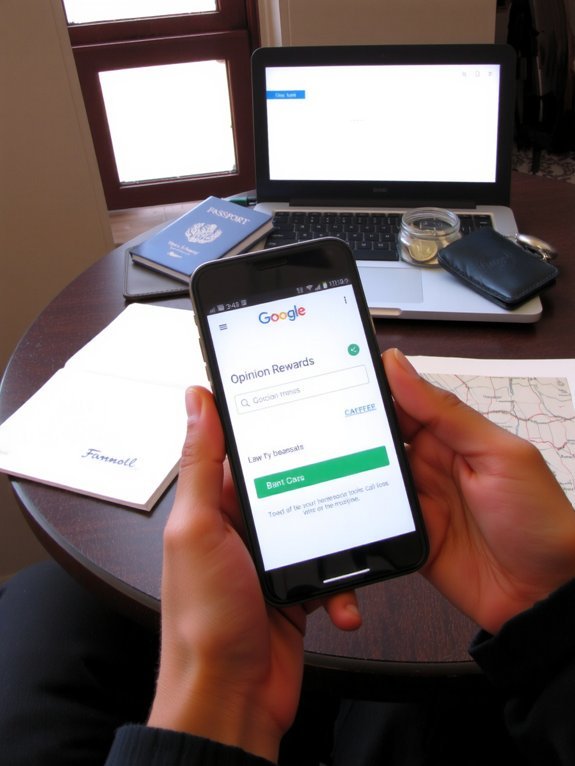
Now that your app’s primed to buzz, let’s tune the stuff that actually tells Google where you are and who you are — your profile and location settings. I’ll be blunt: profile completeness matters. Fill in ages, interests, and that weird hobby you hide; missing bits mean fewer invites. Then, smell-test your location accuracy — turn on high‑precision GPS, allow background location, and verify recent places. I poke around settings, tap “Home” and “Work,” and watch surveys start lining up like impatient pigeons. Don’t fake addresses, that backfires. If you travel, update settings or let Google learn your patterns, so prompts match places you actually visit. Tiny tweaks, big payoff. It’s boring setup, I know, but it pays in snack money.
Best Times and Habits for Checking the App

Because surveys tend to show up when your phone’s been moving around, check the app right after you get somewhere—like after you step off a plane, park at work, or sit down at a café with the smell of espresso in the air—I’ve learned the hard way that waiting around is how you miss them. I tell you this because timing matters; the best times are when you arrive, during errands, and after commutes. Make it a tiny daily habits ritual: one quick glance, swipe, done. I set a gentle alarm, you can laugh at me, it works. Look when notifications ping, and again before bed. Small, steady moves add up, like pocket change turning into a tip jar you actually notice.
Tips for Qualifying for Higher-Paying Surveys
Something about surveys makes the universe pay attention to people who show up, so I treat qualifying like a tiny audition you can’t phone in—literally. I tell you, sit up straight, breathe, and answer honestly; clients can smell fakery like burnt toast. Scan survey types fast: product tests, political polls, lifestyle checks — each wants different detail. Fill profile fields fully, snap a current photo if asked, and update locations, jobs, and hobbies; your profile is the audition résumé. Use consistent answers across apps, don’t rush, and hit those open-ended boxes with a clear, concrete line or two. Expect demographic targeting, and realize sometimes you simply won’t fit — shrug, learn, move on. Keep it playful, keep it honest, and cash will follow.
Combining Survey Earnings With Other Side Income

While survey apps quietly drip nickels into your account, I like to treat them as the bedside lamp on a bigger nightstand of side gigs—small, steady light that helps you find the rest of your money. You pair Google Opinion Rewards with a side hustle the way a coffee addict pairs naps: imperfectly heroic. Do survey stacking—run multiple low-effort survey apps, lock the quiet ones to buzz at idle moments, and funnel tiny wins into a single pot. Meanwhile, hustle elsewhere: freelance gigs, gig driving, selling crafts. Track time, swap tasks when one dries up, celebrate small deposits like confetti. You’ll build momentum, not miracles. I promise, that lamp plus your elbow grease adds up, more than you think.
Managing Rewards and Redeeming Credits Efficiently

A few quick rules will save you headaches and a lot of missed credits, so pay attention—this isn’t glamorous, but it works. I keep a tiny ritual: I check the app after coffee, tap notifications, and log each credit in a simple note. That’s reward tracking, alive and kicking. You’ll want a watchful eye, a steady habit, and a tiny spreadsheet if you’re nerdy like me.
For credit management, decide fast: redeem for what you actually use, or pile up for a big purchase. I visualize the jingle of a sale, the glow of a checkout screen, and it helps me choose. Set reminders, claim promptly, and don’t let credits fester. Small wins add up, and you’ll smile at every payout.
Common Pitfalls and How to Avoid Them

You’ll hit stretches with few surveys, and yeah, it feels like waiting for a bus in the rain — stand under the awning, not the middle of the road. I’ve seen accounts get flagged for weird answers or sketchy activity, so be honest, keep your device settings steady, and don’t try to game the system. Stick with smart habits, patience, and a little humor, and you’ll dodge most of the potholes.
Low Survey Frequency
If you’re checking your phone every hour and getting bummed out because no surveys pop up, don’t blame the app — blame the ecosystem and your expectations, and I’ll show you why. You can’t force surveys, but you can tilt odds with survey engagement strategies: keep location on, respond to prompts quickly, and open the Play Store occasionally so Google notices activity. I poke the app like a shy raccoon, wait, and then check again. Maximizing survey opportunities means being present, consistent, and honest — don’t spam answers, don’t fake locations. Treat it like a slow-growing plant: water often, not frantically. I’ve lost surveys to laziness, learned to habit-stack the checks with coffee, and now I get rewarded more often, not magically, but reliably.
Account Disqualification Risks
Because Google isn’t playing games—violations get noticed fast and your account can disappear like a popped balloon—you need to treat compliance like a daily habit, not an afterthought. I’ll be blunt: ignore rules, and you’ll face account suspension, no appeals drama will save you. Read the eligibility criteria, keep your profile honest, don’t spoof locations or use VPNs that smell like trouble. Tap surveys naturally, don’t script clicks like a robot. If you share devices, log out, don’t piggyback on someone else’s history. Watch for odd prompts, report glitches, and back up rewards info so you don’t panic. I slip sometimes, I admit it, but steady, careful habits keep your account alive and paying.
Conclusion
Think of Google Opinion Rewards as a tiny coin jar on your phone, jingling when you tap a survey. Keep your profile tuned, location on, and check often, and you’ll hear that ring more. You’ll poke, answer honestly, stash credits, and laugh at how a few minutes turns into a coffee or an app. I’ve done it, you’ll do it—simple, steady, a little stubborn. Small habits, shiny rewards.