


You can make solid side cash testing websites, and I’ll walk you through the fast, practical route—sign up on legit platforms, use a couple of devices, and describe what you see like a helpful detective, not a keyboard warrior. Picture yourself clicking, narrating aloud, noting glitches, and packaging that into clear, usable feedback clients actually want. It’s methodical, oddly satisfying, and scalable—so keep going to learn the exact sites, tools, and tricks that pay.
What Website Testing Is and How It Pays
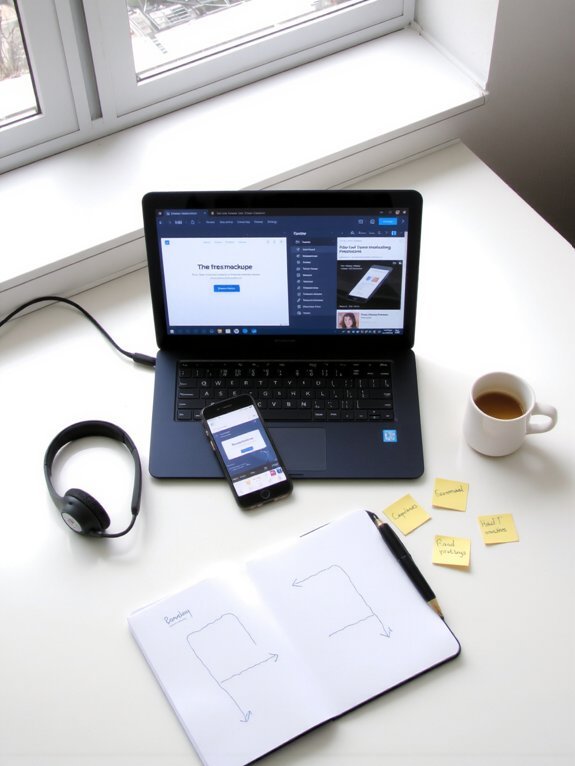
Think of website testing as your backstage pass to the internet—you get to poke, prod, and judge sites while getting paid for the opinion you’d normally give for free. You’ll click, scroll, squint at tiny text, and narrate what you feel, like a sleepy detective sniffing out broken links. I’ll tell you straight: you’re judging user experience, not coding. Say the button’s vague, the checkout’s clunky, or the video stutters — your verbal notes become gold. Payments vary; some tests pay pocket change, others boost your earning potential with longer, higher-value gigs. You’ll record your screen, speak into a mic, and follow simple tasks. It’s low-bar entry, flexible hours, and oddly satisfying—like UX therapy with cash.
Where to Find Legitimate Testing Platforms

If you want to get paid for poking around websites, you’ve got to start at the right door — and not the sketchy one with flashing pop-ups. I tell you where to look, no fluff. First, check established testing platforms like UserTesting, TryMyUI, and UserZoom, they vet clients and pay reliably. Next, scan legit marketplaces — Fiverr and Upwork sometimes list testing gigs from reputable companies. Follow company blogs and product forums, they often post calls for testers, and LinkedIn has verified postings. Avoid random emails promising cash, they smell like spam. Look for clear payment terms, real reviews, and contact info, that’s your radar. Trust your gut, do a quick background check, and jump in.
Essential Tools and Skills You’ll Need

You’ll want a tidy browser and a handful of devices, clean cookies, and screen resolutions that actually show what users see — I’ll show you how to set that up so bugs aren’t hiding under a cluttered tab. You’ll also need plain, sharp reporting skills, the kind that turn messy clicks into clear steps and screenshots that speak louder than “it happened.” Stick with me, I’ll walk you through the gear and the words, and yes, we’ll make your reports look so good clients might high-five their screens.
Browser and Device Setup
When I say “setup,” I don’t mean slapping a browser icon on your desktop and calling it a day — we’re talking a lean, battle-ready toolkit that lets you spot bugs, odd layouts, and those delightful little moments where a site collapses like a souffle in a humid kitchen. You’ll install multiple browsers, enable dev tools, and keep extensions handy for screenshots and CSS tweaks. Test for browser compatibility, switch user agents, and throttle network speeds like a DJ fading a track. Embrace device diversity: real phones, tablets, and emulators, because pixels lie and touch does too. I poke, pinch, and squint at screens, noting scroll hiccups and tap misses. Keep snapshots, label steps, and iterate quickly — your clients pay for reliable proof, not guesses.
Communication and Reporting
Because clear reports are the difference between “works on my machine” and actual pay, I treat communication like a craft: crisp steps, neat screenshots, and a little narration so the developer doesn’t have to play detective. You’ll sharpen communication skills by writing short, numbered steps, adding annotated images, and saying what you did, what happened, and why it matters. Use reporting techniques like templates, severity tags, and short video clips when clicks and animations matter. Talk like a human, not a bug robot: “I clicked Buy, the cart flashed red, see attached 3s clip.” Be punctual, polite, and exact. Your notes should smell like helpfulness, read fast, and fix problems before anyone asks — that’s how you get hired again.
How to Conduct a Test and Report Issues Effectively

Alright — let’s plunge into and get your testing groove on: I’ll show you how to run a session that’s fast, thorough, and actually useful (no vague “it broke” notes allowed). Start with quick test planning, sketch tasks on a sticky note, breathe, and open the site. Click like a real user, speak aloud, and record screen if allowed — I do, because my memory lies. Note steps, device, browser, and exact clicks. When you hit a bug, capture a screenshot, describe expected vs. actual, add steps to reproduce, and include console logs if you can. Rank issues with clear issue prioritization: critical, major, minor. Be concise, kind, and specific — developers will thank you, and you’ll keep getting paid.
Strategies to Increase Earnings and Get More Invites

You’ve just handed developers a tidy bug report and closed your laptop with a small, victorious grin — good job, you earned that moment — now let’s turn those solid sessions into steady cash and more invites. I’ll tell you how I boost my income: pick high-paying platforms, specialize in mobile or accessibility, and polish a short portfolio with crisp clips and two-star wins. Show up often, increase testing frequency, and reply fast to invites — being reliable sells. Offer quick follow-ups, ask smart questions, and suggest simple fixes; clients notice helpful testers. Negotiate better rates after a few wins, bundle mini-reports, and pitch recurring work. Keep a clean inbox, calendar reminders, and a cheerful, professional tone. You’ll get invites, trust, and steady maximizing earnings.
Common Pitfalls and How to Avoid Low-Quality Tests
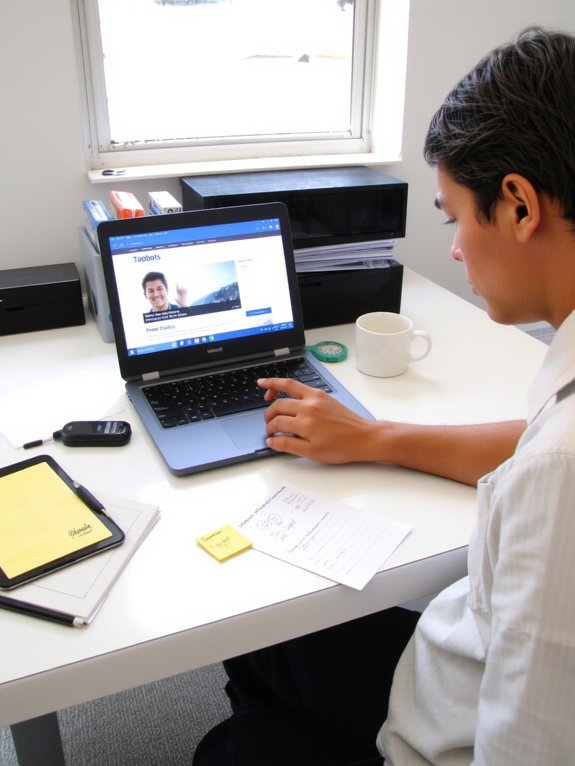
If you rush through a session like you’ve got a date after lunch, you’ll miss the stuff that pays — tiny UI glitches, weird error messages, the awkward tab order that makes a site trip over itself — and clients can tell. I tell you, slow down, breathe, click around like you mean it. Use a simple test methodology, note steps, reproduce bugs, and don’t guess — show. Keep audio on, watch cursor movements, describe textures: sticky buttons, jittery animations, the smell of burnt CSS (metaphorically). Don’t do the lazy one-liners: “works fine.” Do quality assurance, provide screenshots, timestamps, steps. Own your mistakes, laugh at typos, polish your reports. Be reliable, not robotic, and you’ll get picked again.
Conclusion
You’ll start small, testing a clunky checkout one minute, sipping lukewarm coffee the next, then realize you’ve earned your first decent payout — coincidence? Maybe. Stick with legit platforms, keep tools ready, and report clearly, and invites will follow. I’ve flubbed prompts and still got rebooked; you will too, if you’re honest, specific, and timely. Treat each test like a tiny detective scene, delight in the details, and watch steady side income become a reliable habit.


