You want to sell digital stuff on Gumroad, and I’ll show you how to make it actually work — crisp listings, instant delivery, and pricing that doesn’t scare people off; you’ll upload files, pick images that pop (think textured thumbnails, not bland stock), write a short pitch that hooks, and set up automated emails so buyers feel seen. It’s all practical steps, no fluff, and yes, you’ll make mistakes — but one tweak can change everything, so keep going…
Why Choose Gumroad for Digital Products

If you want to sell digital stuff without getting tangled in tech weeds, Gumroad’s the friendly shortcut you didn’t know you needed. You’ll love the Gumroad advantages fast: simple checkout, built-in payouts, and tools that do the heavy lifting while you sip coffee. I’m blunt — the user friendly interface feels like a tidy desk, everything within reach, no mystery cords. Upload a file, type a blurb, click publish. Customers pay, you get notified, funds arrive. It’s tactile, almost satisfying, like tapping a stamp on an envelope. You’ll laugh at how easy it is, then get to work making things. I poke fun at myself, but you’ll get real momentum, and that’s the point.
Setting Up Your Gumroad Account Step by Step

You’ve seen how smooth Gumroad feels—like a clean desk and a fresh cup of coffee—and now we’re going to get your shop up and running without drama. I’ll walk you through signup, verification, and the little choices that make a storefront yours. Create an account, confirm your email, then complete account verification with IDs and tax info so payouts don’t stall. Upload a crisp profile photo, write a short bio, pick colors, and explore customization options for buttons, thumbnails, and landing pages. Connect Stripe or PayPal, set pricing basics, and enable offers. Test a purchase with a friend, or me, I won’t judge. Save changes, breathe, and admire your tidy little shop—you’re officially open for business.
Creating High-Converting Product Listings

You’ve got seconds to hook someone, so I tell myself to state the value up front, crisp and impossible to ignore, like “save three hours a week” not “helps productivity.” Then I stack a punchy headline, a few benefit bullets, and an image that smells like success—bright cover, a peek inside, maybe a short GIF showing the product in action. Don’t skimp on presentation, I remind you with a wink, because clear value plus slick visuals equals more clicks and fewer crickets.
Clear Value Proposition
Because shoppers decide in seconds whether your product matters, you’ve got to say what it does—fast, loud, and with charm. I tell you this because value clarity is non-negotiable; you must pin down who wins, how they win, and why your product uniqueness matters. Say it in one clean sentence, then back it with a quick bullet or micro-story. Imagine a curious buyer glancing, smiling, nodding—boom, they get it. Use active verbs, crisp outcomes, sensory hooks: save time, feel relief, hear applause (okay, slight exaggeration). Cut the fluff, keep the promise tight, and drop a little personality so you don’t sound like a robot. Your job: make the benefit obvious, believable, and a little irresistible.
Compelling Visual Presentation
If visuals matter as much as your headline (and they do), then make every pixel pull its weight—sharp thumbnails, a hero image that smells like confidence, and screenshots that actually show the work, not blurry pie charts from 2012. You’ll craft visual branding that speaks before the copy does, use engaging graphics to guide the eye, and crop like you mean it. Tell a tiny visual story: face, product, context. Use colors that sing, clear fonts, and usable mockups. Swap images that don’t convert, fast.
| Element | Action |
|---|---|
| Thumbnail | High contrast, clear subject |
| Hero image | Lifestyle + product combo |
| Screenshots | Annotate, highlight key features |
| Colors | Brand palette, accessible contrast |
| Icons | Simple, consistent style |
Test variants, listen to metrics, iterate.
Pricing Strategies and Promotions That Work

When I first set a price for a PDF and watched crickets chirp on the sales page, I learned fast that pricing’s part art, part science, and all theater; you’ve got to make a show. You’ll test dynamic pricing, tweak up for perceived value, and drop fast for flash sales. Picture a bright, urgent banner, a ticking timer, a price that feels like a wink. Use promotional tactics like limited coupons, bundle deals, and staged launches—each move a mini-drama. Talk to buyers, watch clicks, listen for the sigh when they buy. Be playful with defaults, serious with metrics. I miss-priced stuff like a rookie, you’ll learn quicker. Sell confidence, not pain; dress your value loud, clean, and unforgettable.
Managing Payments, Delivery, and Customer Support
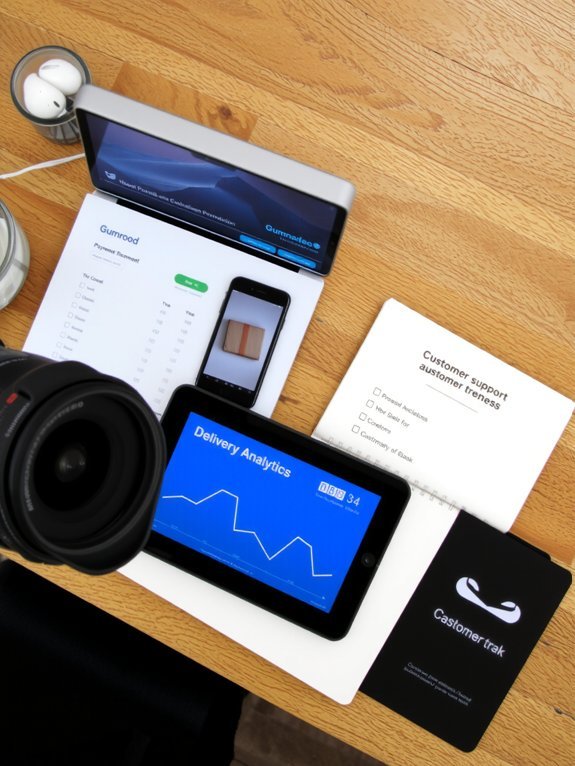
You’ll pick your payment setup—Stripe, PayPal, or Gumroad’s own processor—and I’ll admit, configuring that first payout feels a bit like pressing a big green button in a sci-fi film. Once that’s humming, you’ll attach files for instant, automated delivery, so customers get the goods the second their card clears, no awkward “where’s my download?” emails. And when support comes up, we’ll sketch tight workflows, canned responses, and a few witty lines you can copy-paste so you don’t cry into your keyboard at 2 a.m.
Payment Setup Options
Because money, files, and angry customers all want to be tamed, I’ll show you how to set up payments, deliver products, and handle support without breaking a sweat — or your keyboard. You’ll toggle payment options, link Stripe or PayPal, and double-check currency settings so buyers don’t get sticker shock. Set payout cadence, verify tax info, and add clear refund rules, you’ll thank me later.
| Action | Why it matters |
|---|---|
| Link account | Gets you paid, no drama |
| Set currency | Prevents surprise conversions |
| Configure taxes | Keeps you legal, boring but essential |
When customers write, reply fast, be human, and keep canned replies for common asks — empathy wins, always.
Automated File Delivery
1 neat little trick keeps customers happy and your inbox sane: deliver digital files automatically and reliably. You set up a product on Gumroad, upload the file, toggle automated notifications, and the moment payment clears, a download link sails into the buyer’s email. It feels like magic, except you did it. Test the flow, click the links yourself, and listen for that satisfying ding. Protect downloads with expiring URLs and version control, prioritize file security so pirates get bored fast. Add clear file-size notes and install instructions, because nobody likes surprises. If something breaks, the receipts and timestamps give you a fast map to troubleshoot. I promise, a little setup now saves you hours of frantic typing later.
Support Workflows & Responses
Once payments clear and that little “cha-ching” sound fades, you’ll want a support system that actually helps instead of adding to the chaos. I set up clear delivery checks, so files land where they should, receipts show up, and refunds follow rules that don’t feel like medieval torture. Use support templates for common asks — download links, license keys, and “did you try turning it off?” — and tweak them so they sound human, not robotic. Capture customer feedback fast, via simple forms or short replies, and read it like treasure, because it almost always is. Train quick response habits, label tickets, and automate follow-ups. You’ll sleep better, customers smile, and you’ll look like you know what you’re doing.
Growing Sales With Marketing and Analytics

If you want your Gumroad shop to stop being a charming little secret and start paying the rent, you’ll need a plan that marries smart marketing with sharp analytics, and yes—I’ll hold your hand through the awkward bits. I’ll walk you through marketing tactics that feel less like spam and more like a genuine nudge: email slices, tiny social videos, and a landing page that smells like professionalism, not desperation. Watch sales analytics like a hawk, scan heatmaps, conversion funnels, and tweak copy until it sings. Send one sincere email, watch the dashboard light up, tweak the headline, rinse, repeat. You’ll learn what sticks, when to discount, and how to make repeat buyers feel like VIPs, without losing your soul.
Conclusion
You’ve got the tools, you’ve got the hustle — now ship it. Think of Gumroad as your tiny, relentless marketplace, like a bakery window on a rainy Tuesday: show the goods, price them smart, and wrap them pretty. I’ll say it plain: do the setup, write one crisp listing, hit publish, then tweak. You’ll learn fast, sell sooner, and laugh at your early mistakes. Keep at it, smell the coffee, and enjoy the ride.